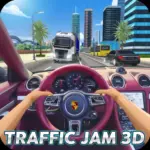

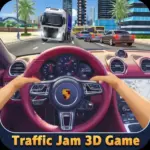



















































Play Traffic Jam 3D - Racing Simulator online for free, where you jump into the driver's seat for an adrenaline-pumping experience on busy highways. This high-speed driving game challenges you to weave through heavy traffic, dodge cars, and reach checkpoints before time runs out. With simple arrow key controls, it is easy for anyone to pick up and play on any device.
Test your driving skills as you collect coins, unlock over 20 cool cars, and upgrade your engine to go faster. Whether you're playing on a phone, tablet, or computer, Traffic Jam 3D - Racing Simulator is packed with intense moments, realistic graphics, and four different game modes to keep the fun going for hours.
Ready for the adventure? Can you master the highway and become the ultimate traffic racer?
Discover More About Traffic Jam 3D
Traffic Jam 3D is an exciting driving simulation game that puts you in control of powerful vehicles on crowded roads. Initially released in late 2021, it quickly became popular among players and earned high ratings for its realistic physics and smooth graphics.
Created by the talented team at Great Games, who is known for developing high-quality 3D browser games, Traffic Jam 3D offers a seamless experience on desktops, tablets, and mobile phones, crafted with a mobile-first design philosophy to ensure players have a great time wherever they play.
With its variety of game modes like Career and Infinite, Traffic Jam 3D continues to be a favorite among fans of racing and simulation games, cementing its place as one of the top car driving games available online!
Explore Traffic Jam 3D Gameplay
| Gameplay Overview | Traffic Jam 3D is moderately challenging but easy to learn! The game starts with a basic car and a simple highway route, and as you progress, the traffic gets denser and the time limits get tighter. Your main goal is to reach checkpoints and finish lines without crashing, requiring key skills like fast reflexes and strategic lane changing. |
|---|---|
| Progression and Features | The game offers a Career Mode with over 80 levels that increase in difficulty over time. It includes special features like a Nitro boost for extra speed and a "Near Miss" combo system, setting it apart from other games in its category. |
| Gameplay Mechanics | Players steer through dynamic traffic systems. Players can collect coins by finishing levels and performing risky maneuvers to unlock engine, handling, and brake upgrades, with improvements affecting gameplay in the following ways: faster acceleration, sharper turns, and better stopping power to avoid accidents. |
| Advanced Gameplay | As you advance, you’ll encounter different environments like deserts and cities, as well as day and night cycles. Your skills will directly impact your success, as precise driving earns you more points to buy the fastest supercars in the garage. |
Available on All Devices
| Platforms | You can play this game directly in your web browser, whether you're using a desktop, laptop, tablet, or mobile device. |
|---|
Mastering Traffic Jam 3D: A Guide
In Traffic Jam 3D, your primary goal is to drive as far as possible or complete specific level objectives while avoiding collisions. As you advance, you’ll face challenges like aggressive drivers, changing lanes unexpectedly, and extremely tight time limits. To succeed, you need to anticipate traffic patterns and use your brakes wisely.
As you progress, the difficulty increases, offering new levels and obstacles to overcome. Along the way, you'll find cash rewards for completing missions, which will help boost your performance by allowing you to buy better cars. However, be mindful of the failure conditions—if you crash into another vehicle or run out of time, you’ll have to restart from the beginning of the level.
The game’s ultimate goal is to complete all 80+ levels in Career Mode and set high scores in Infinite Mode. Throughout your journey, you'll unlock dozens of new vehicles and visual customizations, keeping you motivated to keep playing and achieve higher scores.
Controls
Traffic Jam 3D uses simple keyboard inputs for maximum control. Here's how you control your car:
| Platform | Controls |
|---|---|
| On Computer: |
|
| On Mobile: |
|
These controls are intuitive, making it easy to weave through traffic and perform high-speed overtakes right from the start.
Helpful Tips and Strategies for Traffic Jam 3D
Want to achieve better results in Traffic Jam 3D? These simple and helpful tips will improve your driving skills and help you unlock cool rewards:
- Score Big: Drive dangerously close to other cars to get a "Near Miss" bonus score.
- Time Management: In Time Trial mode, avoid using brakes unless absolutely necessary to keep your momentum up.
- Earn Cash: Play in "Infinite" mode to farm money if you are stuck on a hard Career level.
- Upgrade Wisely: Prioritize upgrading "Handling" first so you can switch lanes faster without spinning out.
- Wrong Way: Driving in the opposite lane yields extra points and cash, but it is much riskier.
- Night Driving: Be extra careful on Night levels as visibility is lower; rely on taillights to judge distance.
- Daily Rewards: Log in every day to claim free cash bonuses to help buy that dream supercar.
- Nitro Use: Save your Nitro boost for straightaways where you can maximize speed without crashing.
Follow these tips and you'll be dominating the leaderboards in no time!
Features of Traffic Jam 3D
Traffic Jam 3D is a feature-rich racing game designed for players of all ages. Below are the top features that make this game so enjoyable and addictive:
- Eye-Catching Graphics: Stunning 3D visuals that make the cars and environments look realistic and vibrant.
- Massive Garage: Unlock and drive over 20 different vehicles, from hatchbacks to high-performance supercars.
- Four Game Modes: Choose between Career, Infinite, Time Trial, and Free Ride to suit your playing style.
- Customization: Change the color of your car and upgrade rims to give your ride a unique look.
- Diverse Environments: Race through Highway, Desert, and City landscapes with Day, Night, and Morning lighting options.
- Realistic Physics: Experience satisfying driving mechanics where weight and speed affect how your car turns.
- Career Progression: Over 80 distinct levels to conquer, providing hours of structured gameplay.
- Smooth Performance: Optimized for web browsers to ensure lag-free gaming on both low and high-end devices.
These features make Traffic Jam 3D a perfect game for anyone who loves fast cars and thrilling challenges!
Game Details
| Developer | Great Games |
|---|---|
| Release Date | October 2021 |
| Genre | Driving / Racing Simulator |
| Platform | Web Browser (Desktop & Mobile), Android |
| Mode | Single Player |
Play Traffic Jam 3D Online
Traffic Jam 3D online offers a special version of the beloved racing simulator that you can enjoy directly on our website. This version has been optimized for seamless play, so you don’t need to download or install anything to get started!
Start playing Traffic Jam 3D with just one click! It’s compatible with all major web browsers, including Google Chrome, Mozilla Firefox, Microsoft Edge, Safari, and Opera. Whether you’re on a computer, tablet, or smartphone, the game adjusts perfectly to your device for a smooth experience.
This online version of Traffic Jam 3D has been specially designed to deliver the best gameplay without compromising on performance or safety. All the excitement of the original game is preserved, ensuring a fast, secure, and enjoyable experience across all browsers.
Play Traffic Jam 3D for Free
Traffic Jam 3D for free is available to play right here on our website, offering an exciting modified version of the original game. You can dive into the action without any cost—no downloads or hidden charges, and there are absolutely no in-game purchases required.
Everything in Traffic Jam 3D, from the fast supercars to the exciting levels, is fully accessible without paying a dime. Whether you're a kid or an adult, you can enjoy endless fun without spending a single coin!
What's more, every game on our site is 100% free to play. We’re committed to providing a gaming experience that’s free of limits or costs. Just pick a game and start playing instantly, no strings attached!
Can You Play Traffic Jam 3D Unblocked?
Yes! You can play Traffic Jam 3D unblocked anytime on our website Drive Mad. Whether you're at school, in class, at work, or on a break, the game runs smoothly without any restrictions.
There's no need to download anything or bypass any blocks. Just visit our site and start driving fast cars right away. It's safe, fast, and works perfectly on any device!
- Unblocked Games 76: A popular site that offers a large variety of unblocked games, including Traffic Jam 3D’s clean and engaging gameplay.
- Unblocked Games G+: Another great destination for games that are often blocked on school networks. Traffic Jam 3D is featured for quick, logic‑based fun.
- Unblocked Games 6x: Offers safe, kid‑friendly titles. Traffic Jam 3D fits perfectly with its puzzle and logic focus.
- Unblocked Games 66: Known for its extensive collection of accessible games. Traffic Jam 3D is available for unblocked play, letting you test your skills wherever you are.
- Unblocked Games 67: Provides no-download, in‑browser games. Traffic Jam 3D appears in the puzzle section.
- Unblocked Games 77: A robust selection of unblocked games, letting you enjoy Traffic Jam 3D’s engaging platform for quick challenges.
Traffic Jam 3D GitHub
Many players search for Traffic Jam 3D GitHub versions to bypass blocks that prevent them from playing the game at school or work. While GitHub might offer some alternatives, it's often complicated and not always reliable.
But with our website Drive Mad, you don't need to search for GitHub versions anymore. Our version of Traffic Jam 3D runs smoothly on all devices and networks. Whether you're in the classroom, office, or on a break — enjoy the full game online with no restrictions, no downloads, and completely for free!
Traffic Jam 3D Download
Many fans of Traffic Jam 3D love to download the game to their own devices for a better playing experience than just playing on the browser. Here's how you can do it:
- If your device runs on Android, just go to the Google Play Store and tap the install button to download the game.
- If you use Apple devices like iPhone or iPad, head to the Apple App Store and press the install button to get the game.
APK Traffic Jam 3D
If you use an Android device but can't find the game in the Google Play Store, don't worry! You can search for the Traffic Jam 3D APK file online and download it directly to your device. This way, you can install the game without using Google Play.
Also, if you love playing on your computer, you can download Traffic Jam 3D for free from the Steam store. This lets you enjoy the game with better controls and graphics.
Traffic Jam 3D Extension
Many fans of Traffic Jam 3D prefer to play the game directly on their browser using a Google Chrome extension. This lets them start playing instantly without having to visit the website every time. Plus, some extensions allow you to play offline whenever you want. To download the Traffic Jam 3D extension, click here.
Similar Games to Traffic Jam 3D
Find More Games by Category
What is the best car in Traffic Jam 3D?
The best car is usually the most expensive supercar in the garage, offering the highest speed and handling stats to help you beat tough levels.
How do you get more money in Traffic Jam 3D?
You can earn more money by driving in the "Infinite" mode, performing close overtakes, or driving in the opposite lane for bonus cash.
Can I play Traffic Jam 3D with a controller?
While the browser version is designed for keyboard use, some third-party software may allow you to map controller buttons to the arrow keys.
Does Traffic Jam 3D have a night mode?
Yes, the game features dynamic environments including night scenes, which reduce visibility and add an extra layer of challenge.
Is Traffic Jam 3D hard to play?
The game starts easy, but the later levels in Career Mode become quite difficult as traffic density increases significantly.
How do I restart a level?
If you crash or fail a level, a "Restart" button will appear on the screen, allowing you to try again instantly.
Can I customize my license plate?
Currently, the game focuses on car performance and color customization, so custom license plates are not a feature.
What happens if the time runs out?
If the timer hits zero before you reach the checkpoint or finish line, the game ends, and you will have to restart the level.
Are there police cars in Traffic Jam 3D?
Generally, you just dodge civilian traffic, but some versions or levels might feature emergency vehicles you must avoid.
Does the game save my progress automatically?
Yes, your browser automatically saves your unlocked cars and completed levels so you can return later without losing data.
How do I use the horn?
Some versions of the game allow you to use a horn key (usually 'H' or 'K') to signal other cars to move, though this feature varies by update.
Is there a multiplayer mode?
No, Traffic Jam 3D is a single-player experience focused on beating your own high scores and completing career missions.
Why is my car moving slow?
If your car is slow, you likely need to visit the garage and spend your earned coins on engine and acceleration upgrades.
Can I change the camera view?
Yes, you can usually toggle between different camera angles, including a first-person dashboard view or a third-person rear view, by pressing the 'C' key.
What is the "Near Miss" bonus?
A "Near Miss" bonus is extra points or cash awarded when you pass another car very closely at high speed without crashing.
Does driving off-road slow me down?
Yes, driving on the grass or shoulder of the road usually reduces your speed significantly compared to driving on the asphalt.
Can I play on an iPad?
Yes, the game is optimized for touchscreens, so it works perfectly on iPads and other tablets directly in the browser.
How many levels are there?
The Career Mode typically features over 80 unique levels, ensuring plenty of gameplay content.
Is Traffic Jam 3D safe for kids?
Yes, the game contains no violence or inappropriate content; it is a straightforward racing skill game suitable for all ages.
What is the difference between One-Way and Two-Way?
In One-Way, all traffic moves in your direction. In Two-Way, you must dodge oncoming traffic, which is harder but earns more points.
Frequently Asked Questions (FAQ) About Traffic Jam 3D
What is Traffic Jam 3D?
Traffic Jam 3D is a game where you need to drive a car through heavy traffic, reach checkpoints, and avoid crashes to earn money and upgrades.How do I play Traffic Jam 3D?
Use the arrow keys or WASD on your keyboard to steer, accelerate, and brake while weaving through cars on the highway.Is the game free?
Yes, Traffic Jam 3D is free and accessible directly in the browser.On which platforms can I play?
The game is available on Web Browser (Desktop & Mobile) and Android devices.Do I need an account to play?
No, you can start immediately without an account.Is the game suitable for children?
Yes, Traffic Jam 3D is designed for all ages and features age‑friendly graphics.Are there difficulty levels?
Yes, the game gets harder as you progress through levels, with faster traffic and tighter time limits.How do I progress to the next level?
You need to reach the finish line before the timer runs out to move to the next level.Can I replay a level?
Yes, you can replay all levels at any time.Is the game multiplayer?
No, Traffic Jam 3D is a solo game. There is no multiplayer mode included.Are there any tips for success?
Drive in the opposite lane for bonus points, but be careful not to crash into oncoming traffic.How can I improve my skills in the game?
Practice regularly, learn the patterns of each level, and use the brake strategically to avoid high-speed collisions.What do I do if the game is lagging or crashing?
Try clearing your browser cache, updating your browser, or playing on a different device with a stable internet connection.Can I play without an internet connection?
No, this game requires an internet connection to be played directly in the browser.How do I earn rewards or bonuses?
You can earn rewards by completing levels, performing near-miss overtakes, and driving over specific distances.What happens when I lose all my lives?
This game typically uses a time limit or crash-fail system; if you crash, you simply restart the specific level you are on.How often does the game get updated?
The game receives regular updates with new content, bug fixes, and performance improvements. Check the game website for details on upcoming updates.Can I customize my character or plane?
While you cannot customize a driver, you can fully customize your car's paint, wheels, and engine performance.How do I unlock new levels or stages?
New levels unlock automatically after completing the previous level in Career Mode.Is there any way to save my progress?
Yes, your progress is automatically saved through your browser’s local storage.
What is the Free Ride mode?
Free Ride mode allows you to drive endlessly without any time limits or missions, perfect for practicing your driving skills.
Can I turn off the sound?
Yes, there is a settings menu in the main lobby or pause screen where you can mute the music and sound effects.
Does the game support full screen?
Yes, most browser versions have a full-screen button in the corner to give you a more immersive driving experience.
How do I drift in Traffic Jam 3D?
While it is not a dedicated drift game, tapping the brake while turning at high speeds can initiate a drift to help you corner.
Are there different weather conditions?
Yes, you can choose to race in sunny, evening, or night conditions to change the visual experience and difficulty.
What is the most expensive upgrade?
Usually, the final engine upgrade for the highest-tier supercar is the most expensive item in the game.
Can I hit other cars?
No, hitting other cars will cause a crash and end your run instantly, forcing you to restart.
Is there a leaderboard?
Some versions of the game feature a local or global leaderboard where you can compare your high scores with other players.
How do I unlock the desert map?
Maps are often unlocked by reaching a certain level in Career Mode or by paying a specific amount of in-game cash.
Why are the brakes important?
Brakes are essential for avoiding sudden lane changes by other cars, preventing crashes that would end your game.
Can I play on a Chromebook?
Yes, Traffic Jam 3D runs very well on Chromebooks since it is a browser-based game requiring no installation.
Does the game have ads?
The free online version may show ads between levels, which helps keep the game free for everyone to enjoy.
How do I quit a level?
You can press the pause button (usually 'P' or an icon on screen) and select "Main Menu" to quit the current level.
What is the Time Trial mode?
Time Trial mode challenges you to reach a series of checkpoints before the timer hits zero, requiring constant high speeds.
Can I change the language?
The game is primarily in English, but the icons and interface are simple enough for speakers of any language to understand.
Conclusion
Traffic Jam 3D is a fantastic driving simulator that offers a perfect mix of speed, strategy, and excitement. It helps players develop quick reflexes and situational awareness while providing a fun escape from boredom. With its easy-to-learn controls, it is accessible to everyone, from casual gamers to hardcore racing fans.
Whether you are on a mobile phone, tablet, or desktop computer, you can jump into the action instantly for free. It is a great game for kids aged 7-18 who love cars and want to experience the thrill of weaving through traffic without spending any money. The game is always available online with no downloads required.
So, what are you waiting for? Start your engine and hit the road today! Share the game with your friends to see who can unlock the fastest car and get the highest score in Infinite Mode. become the king of the road in Traffic Jam 3D!