
 Loading...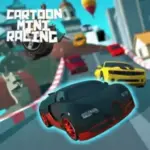





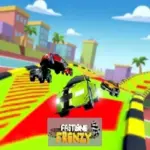




Play Cartoon Mini Racing online for free, and jump into the driver's seat of the fastest, wackiest cars on the web! Have you ever wanted to race against your friends or beat clever computer opponents on tracks that loop, twist, and turn in a colorful cartoon world? This game brings high-speed excitement right to your screen with vibrant graphics and smooth physics that make every turn feel real. With super easy controls that anyone can learn in seconds, you can start burning rubber immediately on your computer or laptop.
There is so much to do in this game beyond just crossing the finish line first. Cartoon Mini Racing is packed with cool cars to unlock, different difficulty modes, and challenging tracks that test your driving skills. Whether you are speeding through a sunny day track or navigating a tricky night course, the thrill never stops. You can even challenge a friend in the awesome 2-player mode on the same computer!
Ready for the adventure? Can you drift your way to victory and become the ultimate mini racing champion?
Discover More About Cartoon Mini Racing
Cartoon Mini Racing is an exciting arcade-style racing game that captures the fun of classic toy car rallies. Initially released in August 2019, it quickly became popular among players and earned a reputation for being one of the best split-screen web games available for kids and teens.
Created by the talented team at Toggel, who is known for developing engaging and addictive browser games, Cartoon Mini Racing offers a seamless experience on desktops and laptops, crafted with a focus on fun physics and responsive controls to ensure players have a great time wherever they play.
With its vibrant low-poly graphics and smooth frame rates, Cartoon Mini Racing continues to be a favorite among fans of speed and competition, cementing its place as one of the top arcade racing games in the browser gaming world!
Explore Cartoon Mini Racing Gameplay
| Gameplay Overview | Cartoon Mini Racing is moderately challenging but incredibly fun! The game starts with a basic car and a simple track, and as you progress, you unlock faster vehicles and more complex circuits. Your main goal is to finish the race in first place, requiring key skills like drifting, cornering, and defensive driving. |
|---|---|
| Progression and Features | The game offers a level-based progression system that increases in difficulty over time. It includes special features like a 2-player split-screen mode, allowing you to race against a friend on the same keyboard, setting it apart from many single-player racing games. |
| Gameplay Mechanics | The physics are arcade-like but weighty. Players can collect victories to unlock upgrades or progression systems, with improvements affecting gameplay in the following ways: unlocking new cars gives you better top speed, acceleration, and handling, making it easier to beat the tougher AI opponents. |
| Advanced Gameplay | As you advance, you’ll encounter different environments, sharp turns, and aggressive opponents. Your skills will directly impact your success, as mastering the drift mechanics allows you to maintain speed through corners without crashing into the barriers. |
Available on All Devices
| Platforms | You can play this game directly in your web browser. It is optimized for WebGL, meaning it runs best on desktop and laptop computers for the smoothest 3D racing experience. |
|---|
Mastering Cartoon Mini Racing: A Guide
In Cartoon Mini Racing, your primary goal is to complete three laps and cross the finish line before your rivals. As you advance, you’ll face challenges like tight hairpin turns, obstacles on the track, and AI drivers who will try to bump you off the road. To succeed, you need to master the art of braking at the right time and accelerating out of corners.
As you progress, the difficulty increases, offering new levels and obstacles to overcome. Along the way, you'll find that knowing the map layouts is crucial, which will help boost your performance. However, be mindful of the failure conditions—if you fall too far behind or get stuck against a wall, you might lose the race and have to restart from the beginning of the track.
The game’s ultimate goal is to win the Gold Cup in all races. Throughout your journey, you'll unlock faster and cooler-looking cars, keeping you motivated to keep playing and achieve higher scores.
Controls
Cartoon Mini Racing uses simple keyboard inputs. Here's how you control your vehicle:
| Platform | Controls |
|---|---|
| On Computer (Single Player): |
|
| Two Player Mode: |
|
The controls are very responsive, making it easy for beginners to pick up and play, while offering enough depth for skilled racers to perfect their racing lines.
Helpful Tips and Strategies for Cartoon Mini Racing
Want to finish in first place every time in Cartoon Mini Racing? These simple and helpful tips will improve your driving skills and help you unlock cool rewards:
- Start Strong: Press the gas exactly when the countdown ends to get a jump start on your rivals.
- Drift Smart: Don't drift on every corner; only use it for sharp turns to avoid losing too much speed.
- Block Opponents: Use your car to block the AI drivers if they try to pass you on the inside lane.
- Hug the Curves: Drive close to the inner wall during turns to minimize the distance you have to travel.
- Watch Player 2: In 2-player mode, screen cheating is a strategy! Watch where your friend is to cut them off.
- Reset Quickly: If you flip over or get stuck, press the 'H' key immediately to get back on track without wasting time.
- Learn the Tracks: Play a few practice rounds to memorize where the sharp turns are so you aren't surprised.
- Upgrade Wisely: Switch to a car with better handling for twisting tracks and one with better speed for straight tracks.
Follow these tips and you'll be lifting the championship trophy in no time!
Features of Cartoon Mini Racing
Cartoon Mini Racing is a fast-paced racer designed for players of all ages. Below are the top features that make this game so enjoyable and addictive:
- 2 Player Mode: Grab a friend and race against them on the same computer with split-screen action.
- Stunning Graphics: Enjoy bright, colorful, and cartoonish 3D graphics that are fun to look at.
- Multiple Cars: Unlock a garage full of distinct vehicles, from rally cars to police cruisers.
- Challenging AI: The computer opponents are smart and competitive, making every race a real battle.
- Varied Tracks: Race across different landscapes, including grassy hills and desert roads.
- Smooth Physics: The driving feels responsive, with satisfying drifting mechanics.
- Day and Night Mode: Experience tracks under different lighting conditions for variety.
- Easy to Learn: Simple controls mean anyone can start racing instantly without a tutorial.
These features make Cartoon Mini Racing a perfect game for anyone who loves speed, competition, and fun arcade action!
Game Details
| Developer | Toggel |
|---|---|
| Release Date | August 2019 |
| Genre | Racing / Arcade |
| Platform | Web Browser (WebGL) |
| Mode | Single Player, 2 Player Local |
Play Cartoon Mini Racing Online
Cartoon Mini Racing online offers a special version of the beloved racing game that you can enjoy directly on our website. This version has been optimized for seamless play, so you don’t need to download or install anything to get started!
Start playing Cartoon Mini Racing with just one click! It’s compatible with all major web browsers, including Google Chrome, Mozilla Firefox, Microsoft Edge, Safari, and Opera. Whether you’re on a computer, tablet, or smartphone, the game adjusts perfectly to your device for a smooth experience.
This online version of Cartoon Mini Racing has been specially designed to deliver the best gameplay without compromising on performance or safety. All the excitement of the original game is preserved, ensuring a fast, secure, and enjoyable experience across all browsers.
Play Cartoon Mini Racing for Free
Cartoon Mini Racing for free is available to play right here on our website, offering an exciting modified version of the original game. You can dive into the action without any cost—no downloads or hidden charges, and there are absolutely no in-game purchases required.
Everything in Cartoon Mini Racing, from all the tracks to the unlockable cars, is fully accessible without paying a dime. Whether you're a kid or an adult, you can enjoy endless fun without spending a single coin!
What's more, every game on our site is 100% free to play. We’re committed to providing a gaming experience that’s free of limits or costs. Just pick a game and start playing instantly, no strings attached!
Can You Play Cartoon Mini Racing Unblocked?
Yes! You can play Cartoon Mini Racing unblocked anytime on our website Drive Mad. Whether you're at school, in class, at work, or on a break, the game runs smoothly without any restrictions.
There's no need to download anything or bypass any blocks. Just visit our site and start racing right away. It's safe, fast, and works perfectly on any device!
- Unblocked Games 76: A popular site that offers a large variety of unblocked games, including Cartoon Mini Racing’s clean and engaging gameplay.
- Unblocked Games G+: Another great destination for games that are often blocked on school networks. Cartoon Mini Racing is featured for quick, competitive fun.
- Unblocked Games 6x: Offers safe, kid‑friendly titles. Cartoon Mini Racing fits perfectly with its arcade racing focus.
- Unblocked Games 66: Known for its extensive collection of accessible games. Cartoon Mini Racing is available for unblocked play, letting you test your skills wherever you are.
- Unblocked Games 67: Provides no-download, in‑browser games. Cartoon Mini Racing appears in the racing section.
- Unblocked Games 77: A robust selection of unblocked games, letting you enjoy Cartoon Mini Racing’s engaging platform for quick challenges.
Cartoon Mini Racing GitHub
Many players search for Cartoon Mini Racing GitHub versions to bypass blocks that prevent them from playing the game at school or work. While GitHub might offer some alternatives, it's often complicated and not always reliable.
But with our website Drive Mad, you don't need to search for GitHub versions anymore. Our version of Cartoon Mini Racing runs smoothly on all devices and networks. Whether you're in the classroom, office, or on a break — enjoy the full game online with no restrictions, no downloads, and completely for free!
Cartoon Mini Racing Download
Many fans of Cartoon Mini Racing love to download the game to their own devices for a better playing experience than just playing on the browser. Here's how you can do it:
- If your device runs on Android, just go to the Google Play Store and tap the install button to download the game.
- If you use Apple devices like iPhone or iPad, head to the Apple App Store and press the install button to get the game.
APK Cartoon Mini Racing
If you use an Android device but can't find the game in the Google Play Store, don't worry! You can search for the Cartoon Mini Racing APK file online and download it directly to your device. This way, you can install the game without using Google Play.
Also, if you love playing on your computer, you can download Cartoon Mini Racing for free from the Steam store. This lets you enjoy the game with better controls and graphics.
Cartoon Mini Racing Extension
Many fans of Cartoon Mini Racing prefer to play the game directly on their browser using a Google Chrome extension. This lets them start playing instantly without having to visit the website every time. Plus, some extensions allow you to play offline whenever you want. To download the Cartoon Mini Racing extension, click here.
Similar Games to Cartoon Mini Racing
Find More Games by Category
Is Cartoon Mini Racing multiplayer?
Yes, the game features a split-screen mode where two players can race against each other on the same computer.
Can I play Cartoon Mini Racing on my phone?
While the game is built for web browsers, it runs best on desktop computers due to the 3D graphics, though high-end phones may run it.
How do I unlock new cars in the game?
You unlock new cars by winning races and progressing through the different levels in the single-player campaign.
How do I restart the race if I crash?
You can press the 'H' key on your keyboard to instantly reset your car if you get stuck or flip over.
Is there a pause button in Cartoon Mini Racing?
Yes, you can usually pause the game by pressing the 'P' key or the Escape key during a race.
Does Cartoon Mini Racing save my progress?
Yes, your unlocked cars and completed levels are typically saved in your browser's local cache automatically.
What are the controls for Player 2?
Player 2 usually uses the ESDF or WASD keys to steer and accelerate in the split-screen mode.
Is Cartoon Mini Racing free to play?
Yes, the game is completely free to play online with no hidden costs or subscription fees.
Does the game have nitro or boost?
Some versions of the game feature speed boosts or turbo pads on the track that give you a temporary burst of speed.
Can I play Cartoon Mini Racing offline?
Generally, you need an internet connection to load the game, but once loaded, it may play without data until you close the tab.
Are there different difficulty levels?
Yes, as you unlock new tracks, the AI opponents become smarter and faster, increasing the difficulty.
What is the best car in Cartoon Mini Racing?
The best car is usually the final unlockable vehicle, which typically has the highest top speed and acceleration stats.
How many tracks are in the game?
The game features over 10 distinct tracks, ranging from simple ovals to complex circuits with jumps and loops.
Is Cartoon Mini Racing safe for kids?
Yes, it is a family-friendly game with no violence, making it perfectly suitable for children of all ages.
Can I customize the color of my car?
Some versions allow basic color changes, but mostly you unlock distinct pre-colored vehicle models.
Why is the game running slow on my computer?
If the game lags, try closing other browser tabs or lowering the graphics quality settings in the game menu if available.
Do I need to download anything to play?
No downloads are required; the game runs directly inside your web browser using HTML5 technology.
Can I play with a game controller?
Native support for controllers depends on the specific browser version, but keyboard controls are the standard method.
Is there background music in the game?
Yes, the game features upbeat and energetic music to keep the adrenaline pumping while you race.
Where can I find unblocked versions of this game?
You can play unblocked versions on sites like Drive Mad or the various "Unblocked Games" sites listed above.
Frequently Asked Questions (FAQ) About Cartoon Mini Racing
What is Cartoon Mini Racing?
Cartoon Mini Racing is a fun 3D arcade racing game where you compete against AI or friends in small, cartoon-style vehicles.How do I play Cartoon Mini Racing?
Use the Arrow keys to drive as Player 1. If playing with a friend, Player 2 uses the ESDF or WASD keys.Is the game free?
Yes, Cartoon Mini Racing is free and accessible directly in the browser on our site.On which platforms can I play?
The game is available on Web Browsers for Desktop and Laptop computers, and some compatible mobile devices.Do I need an account to play?
No, you can start immediately without an account or login.Is the game suitable for children?
Yes, Cartoon Mini Racing is designed for all ages and features kid-friendly graphics and non-violent gameplay.Are there difficulty levels?
Yes, the game gets harder as you progress through new tracks and face faster opponents.How do I progress to the next level?
You need to finish the race in the top positions (usually 1st) to unlock the next track.Can I replay a level?
Yes, you can replay all unlocked levels at any time to improve your time or score.Is the game multiplayer?
Yes, it features a local 2-player mode where you share the keyboard to race a friend.Are there any tips for success?
Learn to brake before corners and accelerate out of them to maintain the best speed without crashing.How can I improve my skills in the game?
Practice regularly on difficult tracks and memorize the layout of sharp turns to anticipate them early.What do I do if the game is lagging or crashing?
Try clearing your browser cache, updating your browser, or playing on a computer with hardware acceleration enabled.Can I play without an internet connection?
No, this game generally requires an internet connection to load initially in the browser.How do I earn rewards or bonuses?
You earn access to new and faster cars by winning races and completing the game's stages.What happens when I lose a race?
You simply have to restart the race and try again until you win; there is no permanent "game over".How often does the game get updated?
The game is a finished product, but the hosting platform may update the emulator or wrapper for better performance.Can I customize my car?
Customization is limited to choosing from different unlocked car models rather than modifying parts.How do I unlock new levels or stages?
New levels unlock automatically after completing the previous race successfully.Is there any way to save my progress?
Yes, your progress (unlocked cars and tracks) is automatically saved through your browser’s local storage.
How do I perform a drift?
To drift, turn sharply while holding the spacebar or brake key briefly to slide the back of your car around corners.
Can I play full screen?
Yes, most game portals offer a "maximize" or "full screen" button below or above the game window for an immersive view.
Is there a time limit in races?
There is no strict timer, but you must finish the laps before the AI opponents to win the race.
What happens if I drive off the track?
If you drive off the track, your car will slow down significantly, allowing opponents to pass you easily.
Can I collide with other cars?
Yes, you can bump into other cars to push them off their line, but be careful as they can push you back!
Does the game support 4 players?
No, the local multiplayer mode is limited to 2 players on one keyboard.
Are there power-ups in the game?
Cartoon Mini Racing focuses on driving skills rather than Mario Kart-style power-ups, keeping the racing pure.
What is the "H" key for?
The "H" key is the reset button, useful if your car flips over or gets stuck on an obstacle.
Why is the steering sensitive?
Arcade racers often have sensitive steering to allow for quick reactions on twisty, cartoonish tracks.
Can I mute the sound?
Yes, there is usually a speaker icon in the game menu to toggle sound effects and music on or off.
Does weather affect driving?
While visual weather effects might appear, they generally do not drastically change the car's grip physics.
Is this game 3D or 2D?
Cartoon Mini Racing is a fully 3D game with 3D car models and environments.
Can I change the camera view?
Usually, the game has a fixed third-person camera behind the car, but some versions may offer a 'C' key to toggle views.
What is the fastest car?
The fastest car is usually a sports-car style model unlocked in the final stages of the game.
Is the game realistic?
No, it is an arcade game, meaning physics are exaggerated for fun rather than realism.
Conclusion
Cartoon Mini Racing is a fantastic choice for anyone looking for quick, adrenaline-pumping fun. It combines the charm of colorful graphics with the excitement of competitive racing, making it a hit for kids and adults alike. Whether you are looking to sharpen your reflexes, master drifting mechanics, or just have a laugh with a friend in 2-player mode, this game delivers on all fronts.
With its compatibility across desktop and laptop browsers and its completely free access, there is no barrier to entry. You can jump in for a quick 5-minute race or spend hours unlocking every car in the garage. The game provides a safe, cost-free environment for children to enjoy high-quality gaming.
So, what are you waiting for? Start your engines, hit the gas, and see if you have what it takes to cross the finish line first. Challenge your best friend today and prove who the real king of the track is in Cartoon Mini Racing!