

 Loading...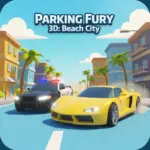








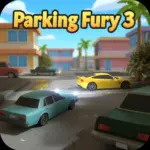























Play Parking Fury 3D: Beach City - Ultimate Driving Challenge online for free, and dive into a world where parking skills meet thrilling car heists! This isn't just about parking in a straight line; it is an action-packed driving simulation that tests your precision and nerve. The game features simple keyboard controls that make it easy for anyone to jump in and start driving, whether you are a beginner or a pro driver.
In this exciting sequel, you get to explore a beautiful sunny coast while completing dangerous missions. You will steal luxury cars, dodge patrolling police cars, and park them perfectly to earn your keep. Whether you're playing on a phone, tablet, or computer, Parking Fury 3D: Beach City - Ultimate Driving Challenge is packed with realistic physics, cool supercars, and intense night-time driving missions.
Ready for the adventure? Can you evade the cops and park every car without a scratch?
Discover More About Parking Fury 3D: Beach City
Parking Fury 3D: Beach City is an exciting driving simulation game that combines traditional parking mechanics with stealth and exploration. Initially released in September 2017, it quickly became popular among players and earned a reputation for being one of the most engaging titles in the Parking Fury series due to its open-world feel.
Created by the talented team at BrainSoftware, who is known for developing high-quality 3D browser games and driving simulators, Parking Fury 3D: Beach City offers a seamless experience on desktops, tablets, and mobile phones, crafted with HTML5 technology to ensure players have a great time wherever they play.
With its vibrant coastal graphics and tension-filled police chases, Parking Fury 3D: Beach City continues to be a favorite among fans of car simulation games, cementing its place as one of the top parking games!
Explore Parking Fury 3D: Beach City Gameplay
| Gameplay Overview | Parking Fury 3D: Beach City is moderately difficult but highly rewarding! The game starts with simple parking jobs in a quiet beach town, and as you progress, you must steal specific cars and deliver them to new locations. Your main goal is to park perfectly without damaging the vehicle, requiring key skills like spatial awareness and patience. |
|---|---|
| Progression and Features | The game offers a level-based progression system that increases in difficulty over time. It includes special features like a health bar for your vehicle and an active police force that will chase you if they see you stealing a car, setting it apart from other games in its category. |
| Gameplay Mechanics | Players control the vehicle using arrow keys. Players can collect different luxury cars by stealing them according to mission requirements and unlock harder missions, with improvements affecting gameplay in the following ways: tighter turns and faster speeds make parking harder but escaping police easier. |
| Advanced Gameplay | As you advance, you’ll encounter different environments, levels, and challenges, such as driving at night with limited visibility. Your skills will directly impact your success, as precision driving is the only way to squeeze into tight spots without crashing. |
Available on All Devices
| Platforms | You can play this game directly in your web browser, whether you're using a desktop, laptop, tablet, or mobile device. |
|---|
Mastering Parking Fury 3D: Beach City: A Guide
In Parking Fury 3D: Beach City, your primary goal is to steal specific cars and park them in designated yellow zones without getting caught or destroying the vehicle. As you advance, you’ll face challenges like patrolling police cars that have a vision cone; if you enter it, the chase begins. To succeed, you need to drive smoothly and watch the mini-map constantly.
As you progress, the difficulty increases, offering new levels and obstacles to overcome. Along the way, you'll find faster and more expensive sports cars to drive, which will help boost your performance during getaways. However, be mindful of the failure conditions—if you crash too many times and deplete your health bar, or get arrested by the cops, you’ll have to restart from the beginning of the level.
The game’s ultimate goal is to complete all missions with a three-star rating. Throughout your journey, you'll unlock access to the most powerful supercars in the city, keeping you motivated to keep playing and achieve higher scores.
Controls
Parking Fury 3D: Beach City uses standard keyboard inputs for maximum control. Here's how you control your vehicle:
| Platform | Controls |
|---|---|
| On Computer: |
|
| On Mobile: |
|
These intuitive controls make it easy to drift around corners and park with precision.
Helpful Tips and Strategies for Parking Fury 3D: Beach City
Want to become the ultimate car thief and master parker in Parking Fury 3D: Beach City? These simple and helpful tips will improve your driving accuracy and help you unlock cool rewards:
- Watch the Mini-Map: Always keep an eye on the top-left map to see where police cars are patrolling so you can avoid them.
- Avoid Speeding: Unlike racing games, speed isn't everything here. Drive slowly to avoid crashing into obstacles.
- Use the Space Bar: The handbrake is essential for making sharp turns into tight parking spots without hitting the wall.
- Stay Out of Sight: If you see a police cone of vision, wait for them to pass before you make your move.
- Don't Panic: If the police chase you, try to lose them by taking sharp corners in alleyways rather than outrunning them on straight roads.
- Check Your Health: Your car has a limited amount of damage it can take. If the bar gets too low, drive extra carefully.
- Camera Angles: Use the 'C' key to switch cameras if you can't see the parking lines clearly.
- Follow the Arrows: The white arrows on the road guide you to your destination; follow them so you don't get lost in the city.
Follow these tips and you'll be conquering Beach City in no time!
Features of Parking Fury 3D: Beach City
Parking Fury 3D: Beach City is a high-quality 3D simulation designed for players of all ages. Below are the top features that make this game so enjoyable and addictive:
- Realistic 3D Graphics: Enjoy a beautifully rendered beach city environment with detailed car models and lighting.
- Car Theft Mechanism: Unlike standard parking games, you can hop out of one car and steal another to complete missions.
- Police AI: Smart police patrols add a layer of stealth and excitement to the gameplay.
- Variety of Vehicles: Drive everything from sedans and trucks to high-end supercars.
- Day and Night Cycle: Experience driving in bright sunlight and challenging night-time conditions.
- Destructible Cars: Vehicles show damage and have health bars, making safe driving a priority.
- Open World Feel: Navigate through city streets, beach roads, and parking lots freely.
- Multiple Camera Views: Switch between top-down and third-person views for the best driving angle.
These features make Parking Fury 3D: Beach City a perfect game for anyone who loves cars and strategy!
Game Details
| Developer | BrainSoftware |
|---|---|
| Release Date | September 2017 |
| Genre | Driving / Simulation / Parking |
| Platform | Web Browser (Desktop and Mobile) |
| Mode | Single Player |
Play Parking Fury 3D: Beach City Online
Parking Fury 3D: Beach City online offers a special version of the beloved driving simulator that you can enjoy directly on our website. This version has been optimized for seamless play, so you don’t need to download or install anything to get started!
Start playing Parking Fury 3D: Beach City with just one click! It’s compatible with all major web browsers, including Google Chrome, Mozilla Firefox, Microsoft Edge, Safari, and Opera. Whether you’re on a computer, tablet, or smartphone, the game adjusts perfectly to your device for a smooth experience.
This online version of Parking Fury 3D: Beach City has been specially designed to deliver the best gameplay without compromising on performance or safety. All the excitement of the original game is preserved, ensuring a fast, secure, and enjoyable experience across all browsers.
Play Parking Fury 3D: Beach City for Free
Parking Fury 3D: Beach City for free is available to play right here on our website, offering an exciting modified version of the original game. You can dive into the action without any cost—no downloads or hidden charges, and there are absolutely no in-game purchases required.
Everything in Parking Fury 3D: Beach City, from the luxury cars to the challenging levels, is fully accessible without paying a dime. Whether you're a kid or an adult, you can enjoy endless fun without spending a single coin!
What's more, every game on our site is 100% free to play. We’re committed to providing a gaming experience that’s free of limits or costs. Just pick a game and start playing instantly, no strings attached!
Can You Play Parking Fury 3D: Beach City Unblocked?
Yes! You can play Parking Fury 3D: Beach City unblocked anytime on our website Drive Mad. Whether you're at school, in class, at work, or on a break, the game runs smoothly without any restrictions.
There's no need to download anything or bypass any blocks. Just visit our site and start parking supercars right away. It's safe, fast, and works perfectly on any device!
- Unblocked Games 76: A popular site that offers a large variety of unblocked games, including Parking Fury 3D: Beach City’s clean and engaging gameplay.
- Unblocked Games G+: Another great destination for games that are often blocked on school networks. Parking Fury 3D: Beach City is featured for quick, logic‑based fun.
- Unblocked Games 6x: Offers safe, kid‑friendly titles. Parking Fury 3D: Beach City fits perfectly with its puzzle and logic focus.
- Unblocked Games 66: Known for its extensive collection of accessible games. Parking Fury 3D: Beach City is available for unblocked play, letting you test your skills wherever you are.
- Unblocked Games 67: Provides no-download, in‑browser games. Parking Fury 3D: Beach City appears in the puzzle section.
- Unblocked Games 77: A robust selection of unblocked games, letting you enjoy Parking Fury 3D: Beach City’s engaging platform for quick challenges.
Parking Fury 3D: Beach City GitHub
Many players search for Parking Fury 3D: Beach City GitHub versions to bypass blocks that prevent them from playing the game at school or work. While GitHub might offer some alternatives, it's often complicated and not always reliable.
But with our website Drive Mad, you don't need to search for GitHub versions anymore. Our version of Parking Fury 3D: Beach City runs smoothly on all devices and networks. Whether you're in the classroom, office, or on a break — enjoy the full game online with no restrictions, no downloads, and completely for free!
Parking Fury 3D: Beach City Download
Many fans of Parking Fury 3D: Beach City love to download the game to their own devices for a better playing experience than just playing on the browser. Here's how you can do it:
- If your device runs on Android, just go to the Google Play Store and tap the install button to download the game.
- If you use Apple devices like iPhone or iPad, head to the Apple App Store and press the install button to get the game.
APK Parking Fury 3D: Beach City
If you use an Android device but can't find the game in the Google Play Store, don't worry! You can search for the Parking Fury 3D: Beach City APK file online and download it directly to your device. This way, you can install the game without using Google Play.
Also, if you love playing on your computer, you can download Parking Fury 3D: Beach City for free from the Steam store. This lets you enjoy the game with better controls and graphics.
Parking Fury 3D: Beach City Extension
Many fans of Parking Fury 3D: Beach City prefer to play the game directly on their browser using a Google Chrome extension. This lets them start playing instantly without having to visit the website every time. Plus, some extensions allow you to play offline whenever you want. To download the Parking Fury 3D: Beach City extension, click here.
Similar Games to Parking Fury 3D: Beach City
Find More Games by Category
How do I steal cars in Parking Fury 3D?
To steal a car, walk up to a parked vehicle and press the Ctrl key (or command key) to enter it, then drive it to the destination.
Can police arrest me in Parking Fury 3D?
Yes, if you drive a stolen car into the police's cone of vision, they will chase you and arrest you if they catch you.
Is there a night mode in Beach City?
Yes, some levels take place at night, requiring you to use your headlights and be extra careful with visibility.
How many levels are in the game?
The game features multiple challenging levels, each with increasing difficulty and different car parking requirements.
What happens if I crash the car?
Your car has a health bar; if you crash too many times and the bar empties, you fail the mission and must restart.
Can I drive off-road in Beach City?
Yes, you can drive on the sand and some off-road areas, but be careful as the car handles differently on sand.
Do I need a fast computer to play?
No, Parking Fury 3D: Beach City is optimized to run smoothly on most average computers and Chromebooks.
How do I use the handbrake?
Press the Space Bar to use the handbrake, which helps you make tight turns or stop quickly to avoid a crash.
Can I play this on a school Chromebook?
Yes, the game is browser-based and works well on unblocked sites accessible via school Chromebooks.
Is there a time limit for parking?
While there isn't a strict countdown timer on screen, completing the level quickly usually results in a better score.
Why are the arrows on the road?
The white arrows on the road are your GPS; they guide you to the correct parking spot or the car you need to steal.
Can I change the camera view?
Yes, pressing the 'C' key cycles through different camera angles to help you see behind or above the car.
What is the hardest level?
Later levels involving narrow alleyways and heavy police presence are considered the hardest by most players.
Do pedestrians appear in the game?
Generally, the game focuses on vehicle traffic and police, so you don't have to worry about hitting pedestrians.
Can I repair my car?
No, once your car takes damage, you cannot repair it during the level; you must finish with the remaining health.
Does the game save my progress?
Yes, your browser automatically saves your level progress so you can come back and play later.
Are there different types of cars?
Absolutely, you can drive sedans, trucks, and high-performance supercars depending on the mission.
How do I restart a level?
If you get stuck or fail, you can press the restart button on the screen to try the level again immediately.
Is the game in 3D?
Yes, the game features full 3D graphics, allowing you to drive around a three-dimensional city environment.
What key do I use to reverse?
Use the Down Arrow key or the 'S' key to put the car in reverse and back into parking spots.
Frequently Asked Questions (FAQ) About Parking Fury 3D: Beach City
What is Parking Fury 3D: Beach City?
Parking Fury 3D: Beach City is a game where you need to steal cars, evade police, and park vehicles perfectly in designated spots.How do I play Parking Fury 3D: Beach City?
Use the arrow keys to drive, the space bar to brake, and Ctrl to enter or exit vehicles. Drive to the yellow marker to park.Is the game free?
Yes, Parking Fury 3D: Beach City is free and accessible directly in the browser.On which platforms can I play?
The game is available on Web Browsers (PC and Mobile).Do I need an account to play?
No, you can start immediately without an account.Is the game suitable for children?
Yes, Parking Fury 3D: Beach City is designed for all ages and features age‑friendly graphics, though it involves cartoon mischief like stealing cars.Are there difficulty levels?
Yes, the game gets harder as you progress through levels, adding more police and tighter spots.How do I progress to the next level?
You need to successfully park the required car in the final yellow zone without getting busted to move to the next level.Can I replay a level?
Yes, you can replay all levels at any time to try and get a 3-star rating.Is the game multiplayer?
No, Parking Fury 3D: Beach City is a solo game. There is no multiplayer mode included.Are there any tips for success?
Watch the mini-map for police cones of vision and always use your handbrake for precision parking.How can I improve my skills in the game?
Practice regularly, learn the patterns of the police patrols, and use the camera change button to see blind spots.What do I do if the game is lagging or crashing?
Try clearing your browser cache, updating your browser, or playing on a different device with a stable internet connection.Can I play without an internet connection?
No, this game requires an internet connection to be played directly in the browser.How do I earn rewards or bonuses?
You can earn stars by completing levels quickly and without damage, which unlocks further progression.What happens when I lose all my lives?
If your car's health bar reaches zero or you are arrested, you fail the mission and must restart the level.How often does the game get updated?
The game receives regular updates with new content, bug fixes, and performance improvements. Check the game website for details on upcoming updates.Can I customize my character or car?
While you cannot customize the cars with paint, you get to drive many different types of vehicles as you progress.How do I unlock new levels or stages?
New levels unlock automatically after completing the previous level successfully.Is there any way to save my progress?
Yes, your progress is automatically saved through your browser’s local storage.
Why is the police chasing me?
The police chase you if they spot you driving a stolen vehicle within their blue vision cone on the map.
Can I hide from the police?
Yes, if you drive out of their vision and hide down an alleyway or behind a building, the chase will eventually stop.
What does the yellow rectangle mean?
The yellow rectangle on the ground marks the parking spot where you must stop the car to complete the objective.
Can I hit other cars?
You should avoid hitting traffic cars; doing so damages your vehicle and lowers your mission rating.
Is there a limit on how many cars I can steal?
You can only steal the cars designated by the mission objectives; you cannot enter just any random car on the street.
How do I know where to go?
Follow the white arrows painted on the street surface; they lead you directly to your target car or parking spot.
Does rain affect driving?
Currently, the game focuses on day and night cycles, so rain mechanics do not significantly alter the handling.
Can I play with a controller?
Some browsers support gamepad input, but the game is primarily designed for keyboard or touch controls.
What is the blue cone on the map?
The blue cone represents the police car's field of view; stay out of it to avoid getting a wanted level.
Are there cheat codes?
No, there are no official cheat codes for Parking Fury 3D: Beach City; you must rely on your driving skills.
Can I turn off the sound?
Yes, there is usually a speaker icon on the game interface that allows you to mute the music and sound effects.
Does the game work on iPad?
Yes, the game is HTML5 compatible and works well on iPads and other tablets via the browser.
What happens if I park incorrectly?
The level will not end until the car is parked perfectly inside the lines and aligned correctly.
Is this the only Parking Fury game?
No, there are several games in the series, including Night Thief and the original Parking Fury titles.
Why can't I enter the car?
Ensure you are standing close enough to the driver's door and pressing the correct key (usually Ctrl).
Is there a fullscreen mode?
Yes, most game portals offer a fullscreen button to expand the game for a better immersive experience.
Can I run over street lights?
Some small objects are destructible, but hitting lamp posts usually stops your car and causes damage.
How long is the game?
The game has over 10 distinct missions, providing hours of gameplay depending on your skill level.
Do the police cars respawn?
Police cars patrol specific routes; if you lose them, they return to their patrol, but they don't instantly respawn on top of you.
Is there a tutorial?
The first level acts as a tutorial, guiding you through the basics of driving, parking, and stealing cars.
Conclusion
Parking Fury 3D: Beach City is a fantastic blend of thrill and skill, making it one of the most enjoyable browser games for kids and teens. It helps develop hand-eye coordination and spatial awareness while letting you live out an exciting virtual car heist adventure. With its easy-to-learn controls and gradually increasing difficulty, it ensures that players are always challenged but never frustrated.
Since it is compatible with all devices and completely free to play, you can jump into the driver's seat anytime, anywhere. Whether you are 7 or 18, the satisfaction of parking a supercar perfectly while the police drive by unaware is unmatched. Plus, with zero cost and no downloads, there is no barrier to the fun!
So, what are you waiting for? Start your engine, watch out for the cops, and prove you are the best driver in town. Don't forget to share Parking Fury 3D: Beach City with your friends and see who can clear the levels the fastest!