


 Loading...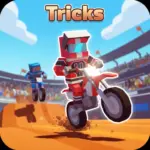
























































































Play Tricks - Motocross Stunt Game online for free, where you grab your helmet and get ready to perform the wildest stunts imaginable! This exciting motocross game challenges you to flip, jump, and race your way through obstacle-filled tracks without crashing. With simple controls that are easy to learn but hard to master, it is perfect for playing on your computer, tablet, or phone.
Mastering the physics of your bike is key to collecting coins and unlocking cool new motorcycles. Whether you're playing on a phone, tablet, or computer, Tricks - Motocross Stunt Game is packed with thrilling loops, dangerous ramps, and addictive gameplay that keeps you coming back for more. You will need quick reflexes and a steady hand to land every jump perfectly.
Ready for the adventure? Can you complete every level with three stars and become the ultimate stunt champion?
Discover More About Tricks
Tricks is an exciting motocross racing game that combines speed with physics-based puzzles. Initially released in November 2021, it quickly became popular among players and earned high ratings for its smooth animations and challenging level design.
Created by the talented team at Yandex Games, who is known for producing high-quality HTML5 browser titles, Tricks offers a seamless experience on desktops, tablets, and mobile phones, crafted with a mobile-first design philosophy to ensure players have a great time wherever they play.
With its vibrant graphics and responsive physics engine, Tricks continues to be a favorite among fans of trial bike games, cementing its place as one of the top racing and stunt games available online!
Explore Tricks Gameplay
| Gameplay Overview | Tricks is a medium-difficulty stunt game! The game starts with basic tracks to teach you how to balance, and as you progress, the ramps get steeper and the obstacles more dangerous. Your main goal is to reach the finish line safely, requiring key skills like timing, balance, and throttle control. |
|---|---|
| Progression and Features | The game offers a linear level progression system that increases in difficulty over time. It includes special features like different bike skins and upgradeable stats, setting it apart from other games in its category by allowing you to customize your ride. |
| Gameplay Mechanics | Physics are central to the experience. Players can collect gold coins scattered throughout the tracks and unlock faster bikes and cooler designs, with improvements affecting gameplay in the following ways: better suspension helps with landing, while higher speed helps clear long gaps. |
| Advanced Gameplay | As you advance, you’ll encounter different environments, levels, and challenges like moving platforms and loops. Your skills will directly impact your success, as knowing exactly when to lean forward or backward prevents you from crashing and losing the level. |
Available on All Devices
| Platforms | You can play this game directly in your web browser, whether you're using a desktop, laptop, tablet, or mobile device. |
|---|
Mastering Tricks: A Guide
In Tricks, your primary goal is to drive your motocross bike from the start to the finish line without tipping over. As you advance, you’ll face challenges like giant loops, steep hills, and exploding barrels. To succeed, you need to gently tap the controls to maintain balance while in the air.
As you progress, the difficulty increases, offering new levels and obstacles to overcome. Along the way, you'll find bonus coins, which will help boost your performance by allowing you to buy better bikes. However, be mindful of the failure conditions—if you hit your head on the ground or fall into a pit, you’ll have to restart from the last checkpoint.
The game’s ultimate goal is to earn three stars on every level. Throughout your journey, you'll unlock achievements and new motorcycles, keeping you motivated to keep playing and achieve higher scores.
Controls
Tricks uses simple keyboard inputs for computers and touch buttons for mobile devices. Here's how you control your bike:
| Platform | Controls |
|---|---|
| On Computer: |
|
| On Mobile: |
|
The controls are intuitive, making it easy to pick up, but mastering the balance required for flips takes practice.
Helpful Tips and Strategies for Tricks
Want to unlock all the bikes in Tricks? These simple and helpful tips will improve your driving skills and help you unlock cool rewards:
- Control Your Speed: Don't just hold the gas down; slow down before steep drops to avoid crashing.
- Master the Air: Use the arrow keys to adjust your bike's angle while in the air to land flat on your wheels.
- Do Flips for Points: Performing backflips and frontflips reduces your timer and earns you extra style points.
- Watch for Checkpoints: Pass through green flags to save your spot so you don't have to restart the whole level if you crash.
- Upgrade Wisely: Save your coins to buy bikes with better handling rather than just cool looks.
- Lean Forward on Hills: When climbing steep hills, lean forward slightly to keep your bike from flipping over backward.
- Use Brakes: If you are going too fast into a jump, tap the brake to regain control before you launch.
- Retry Levels: Replaying easier levels is a great way to farm coins if you need a new bike for a hard level.
Follow these tips and you'll be dominating the tracks in no time!
Features of Tricks
Tricks is a physics-based racing game designed for players of all ages. Below are the top features that make this game so enjoyable and addictive:
- Realistic Physics: Experience smooth and realistic bike handling that reacts to the terrain.
- Multiple Bikes: Unlock a variety of motorcycles, each with unique designs and performance stats.
- Challenging Levels: Play through dozens of unique tracks filled with loops, jumps, and obstacles.
- Stunt System: Perform daring backflips and frontflips to show off your skills.
- Cross-Platform Play: Enjoy the game seamlessly on both PC and mobile devices without losing progress.
- Vibrant Graphics: Colorful and cartoon-style graphics make the game visually appealing for kids.
- Checkpoint System: Forgiving checkpoints ensure the game remains fun rather than frustrating.
- Star Rating: Replay value is high as you try to achieve a perfect 3-star rating on every stage.
These features make Tricks a perfect game for anyone who loves motorcycles, racing, and physics puzzles!
Game Details
| Developer | Yandex Games |
|---|---|
| Release Date | November 2021 |
| Genre | Racing / Motocross / Stunt |
| Platform | Web Browser (HTML5), Android, iOS |
| Mode | Single-player |
Play Tricks Online
Tricks online offers a special version of the beloved motocross game that you can enjoy directly on our website. This version has been optimized for seamless play, so you don’t need to download or install anything to get started!
Start playing Tricks with just one click! It’s compatible with all major web browsers, including Google Chrome, Mozilla Firefox, Microsoft Edge, Safari, and Opera. Whether you’re on a computer, tablet, or smartphone, the game adjusts perfectly to your device for a smooth experience.
This online version of Tricks has been specially designed to deliver the best gameplay without compromising on performance or safety. All the excitement of the original game is preserved, ensuring a fast, secure, and enjoyable experience across all browsers.
Play Tricks for Free
Tricks for free is available to play right here on our website, offering an exciting modified version of the original game. You can dive into the action without any cost—no downloads or hidden charges, and there are absolutely no in-game purchases required.
Everything in Tricks, from unlocking new bikes to playing all levels, is fully accessible without paying a dime. Whether you're a kid or an adult, you can enjoy endless fun without spending a single coin!
What's more, every game on our site is 100% free to play. We’re committed to providing a gaming experience that’s free of limits or costs. Just pick a game and start playing instantly, no strings attached!
Can You Play Tricks Unblocked?
Yes! You can play Tricks unblocked anytime on our website Drive Mad. Whether you're at school, in class, at work, or on a break, the game runs smoothly without any restrictions.
There's no need to download anything or bypass any blocks. Just visit our site and start racing right away. It's safe, fast, and works perfectly on any device!
- Unblocked Games 76: A popular site that offers a large variety of unblocked games, including Tricks’s clean and engaging gameplay.
- Unblocked Games G+: Another great destination for games that are often blocked on school networks. Tricks is featured for quick, skill-based fun.
- Unblocked Games 6x: Offers safe, kid‑friendly titles. Tricks fits perfectly with its racing and physics focus.
- Unblocked Games 66: Known for its extensive collection of accessible games. Tricks is available for unblocked play, letting you test your skills wherever you are.
- Unblocked Games 67: Provides no-download, in‑browser games. Tricks appears in the sports section.
- Unblocked Games 77: A robust selection of unblocked games, letting you enjoy Tricks’s engaging platform for quick challenges.
Tricks GitHub
Many players search for Tricks GitHub versions to bypass blocks that prevent them from playing the game at school or work. While GitHub might offer some alternatives, it's often complicated and not always reliable.
But with our website Drive Mad, you don't need to search for GitHub versions anymore. Our version of Tricks runs smoothly on all devices and networks. Whether you're in the classroom, office, or on a break — enjoy the full game online with no restrictions, no downloads, and completely for free!
Tricks Download
Many fans of Tricks love to download the game to their own devices for a better playing experience than just playing on the browser. Here's how you can do it:
- If your device runs on Android, just go to the Google Play Store and tap the install button to download the game.
- If you use Apple devices like iPhone or iPad, head to the Apple App Store and press the install button to get the game.
APK Tricks
If you use an Android device but can't find the game in the Google Play Store, don't worry! You can search for the Tricks APK file online and download it directly to your device. This way, you can install the game without using Google Play.
Also, if you love playing on your computer, you can download Tricks for free from the Steam store. This lets you enjoy the game with better controls and graphics.
Tricks Extension
Many fans of Tricks prefer to play the game directly on their browser using a Google Chrome extension. This lets them start playing instantly without having to visit the website every time. Plus, some extensions allow you to play offline whenever you want. To download the Tricks extension, click here.
Similar Games to Tricks
Find More Games by Category
How do I perform a backflip in Tricks?
To perform a backflip, drive off a ramp to get airtime and hold the Left Arrow key (PC) or tilt your phone back (Mobile) until you rotate fully.
Why does my bike crash when I land?
You crash because you are not landing on both wheels; ensure your bike is parallel to the ground before you touch down.
Can I play Tricks with a controller?
Most browser versions do not support controllers natively, but you can map keys if you use specific software on your computer.
How many levels are there in Tricks?
There are over 20 unique levels in the game, each getting progressively harder with new obstacles.
Is there a multiplayer mode?
No, Tricks is currently a single-player game where you compete against the clock and your own high score.
How do I get the fastest bike?
You can unlock the fastest bike by collecting coins found in the levels and purchasing it from the garage menu.
What happens if I run out of time?
There is no strict time limit to finish the level, but finishing faster earns you a higher star rating.
Can I change the color of my driver?
Some versions of the game allow you to purchase different skins for your driver using the coins you collect.
Why is the game running slow on my laptop?
Close other browser tabs to free up memory or check if hardware acceleration is enabled in your browser settings.
Is Tricks safe for kids to play?
Yes, Tricks is a family-friendly game with no violence, making it perfectly safe and fun for kids of all ages.
How do I restart a level instantly?
There is usually a restart button in the top corner of the screen, or you can press the 'R' key on some computer versions.
Can I play this game on an iPad?
Yes, Tricks works great on iPads and other tablets directly through the Safari or Chrome browser.
What is the hardest level in Tricks?
Level 20 is often considered the hardest because it combines loops, moving bridges, and very steep jumps.
Does the game save my progress automatically?
Yes, your browser automatically saves your unlocked bikes and completed levels so you can come back later.
How do I turn off the sound?
You can toggle the music and sound effects on or off by clicking the speaker icon in the main menu.
Are there cheat codes for Tricks?
There are no official cheat codes, but you can replay easy levels to farm unlimited coins for upgrades.
What do the stars mean at the end of the level?
Stars represent how well you played; you get more stars for finishing quickly and performing cool stunts.
Can I play Tricks without internet?
The browser version requires an internet connection, but some app versions may allow offline play.
How do I stop doing a wheelie?
Release the 'A' or Left Arrow key to stop leaning back and let the front wheel touch the ground.
Is Tricks similar to Moto X3M?
Yes, it has very similar gameplay mechanics involving side-scrolling motocross stunts and physics puzzles.
Frequently Asked Questions (FAQ) About Tricks
What is Tricks?
Tricks is a side-scrolling motocross game where you need to drive a bike over obstacles and perform stunts to reach the finish line.How do I play Tricks?
Use the arrow keys or WASD on a computer, or on-screen touch buttons on mobile, to accelerate, brake, and balance your bike.Is the game free?
Yes, Tricks is free and accessible directly in the browser on our website.On which platforms can I play?
The game is available on PC, Mac, Android, and iOS devices via web browser.Do I need an account to play?
No, you can start immediately without an account; your progress is saved to your browser.Is the game suitable for children?
Yes, Tricks is designed for all ages and features age‑friendly graphics with no violence.Are there difficulty levels?
Yes, the game gets harder as you progress through levels, introducing steeper ramps and complex loops.How do I progress to the next level?
You need to reach the checkered flag at the end of the track without crashing to move to the next level.Can I replay a level?
Yes, you can replay all levels at any time to try and get a better score or more stars.Is the game multiplayer?
No, Tricks is a solo game. There is no multiplayer mode included at this time.Are there any tips for success?
Control your speed on jumps and always make sure your wheels are parallel to the ground before landing.How can I improve my skills in the game?
Practice regularly to learn the physics of the bike, and memorize the layout of difficult tracks.What do I do if the game is lagging or crashing?
Try clearing your browser cache, updating your browser, or playing on a different device with a stable internet connection.Can I play without an internet connection?
No, this game requires an internet connection to be played directly in the browser.How do I earn rewards or bonuses?
You can earn coins by collecting them during the level and getting bonus points for performing flips.What happens when I lose all my lives?
There are no lives; if you crash, you simply restart from the last green checkpoint flag you passed.How often does the game get updated?
The game receives updates occasionally for performance optimization. Check the game website for details on upcoming updates.Can I customize my character or plane?
You can customize your motorcycle by purchasing new bikes with the coins you earn in the game.How do I unlock new levels or stages?
New levels unlock automatically after completing the previous level successfully.Is there any way to save my progress?
Yes, your progress is automatically saved through your browser’s local storage (cookies).
How do I fix the black screen issue?
If you see a black screen, refresh the page or try disabling ad-blockers that might be interfering with the game loading.
Can I play Tricks on a school Chromebook?
Yes, since it is an HTML5 game, it usually runs perfectly on school Chromebooks without needing installation.
What is the benefit of the expensive bikes?
Expensive bikes usually have better acceleration and rotation speed, making it easier to perform double backflips.
Are there daily missions?
Currently, the game focuses on main level progression rather than daily missions.
How do I reset my progress completely?
To reset progress, you need to clear your browser's cookies and cache for the website.
Is there a pause button?
Yes, you can press 'P' or click the pause icon in the corner to stop the game temporarily.
Can I mute the music but keep sound effects?
Most versions have a single mute button that turns off all sound, but check the settings menu for detailed options.
Does performing stunts make me go faster?
Successful landings after stunts can give you a small momentum boost, helping you clear the next gap.
Why did my bike explode?
Your bike "explodes" or breaks apart when you crash into an obstacle or land on your head.
Can I play in full-screen mode?
Yes, look for the full-screen icon near the game window to expand the game for a better view.
What are the green flags for?
Green flags act as save points; if you crash after passing one, you respawn there instead of the beginning.
How many bikes are there to collect?
There are typically around 5 to 10 different bikes to unlock, depending on the specific version of the game.
Is Tricks available on console?
No, Tricks is primarily a web and mobile game and is not available on consoles like Xbox or PlayStation.
How do I share my high score?
You can take a screenshot of your score and share it with friends, as there is no direct social media button.
Who holds the world record for Tricks?
There is no official leaderboard, so world records are community-driven and often posted on video sharing sites.
Conclusion
Tricks is a fantastic way to experience the thrill of motocross racing without leaving your chair. It helps develop hand-eye coordination and timing skills while providing hours of entertainment. With its easy-to-learn controls, anyone can pick it up and start playing immediately.
Whether you are on a laptop, a tablet, or a phone, you can access this game for free right now. It is perfect for kids and teenagers looking for a fun challenge that doesn't cost a penny. The fact that it requires no downloads means you can jump straight into the action.
So, what are you waiting for? Put on your virtual helmet and start your engine! Challenge your friends to see who can unlock the best bike first and become the ultimate stunt master in Tricks!